3D Wooden Paper Tray Laser Cut: A Digital Blueprint for Creative Projects
If you are looking to add a touch of tactile elegance to your projects, the 3D Wooden Paper Tray Laser Cut design offers a versatile solution. This is not just another generic template; it is a carefully engineered digital file set designed to help creators build functional and decorative objects with precision. Whether you are a hobbyist setting up your first laser cutter or a small business owner scaling production, understanding how to leverage this specific design can transform simple materials into polished products.
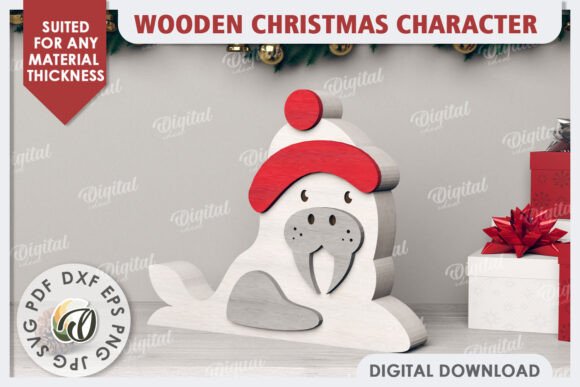
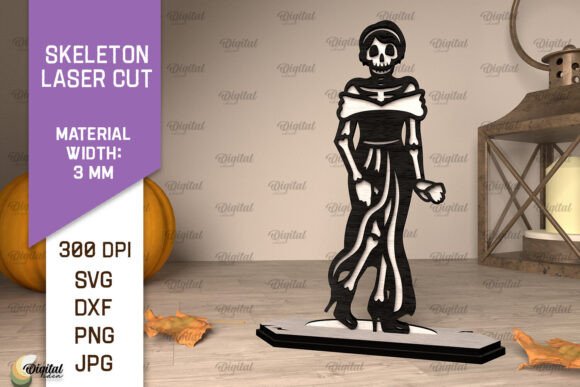
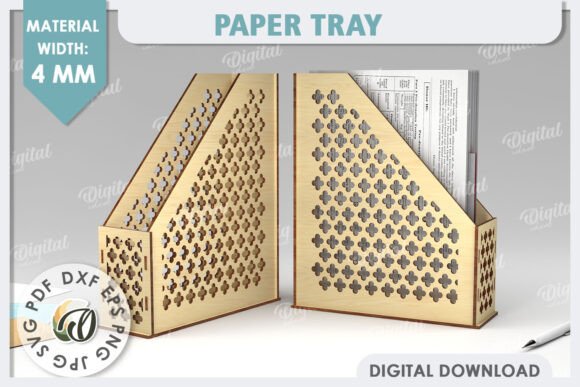
Please note: This is strictly a DIGITAL product. No physical wooden tray will be shipped to your address. The photos displayed are for inspiration purposes only to show you what is possible with this design. Your purchase grants you immediate access to a zip folder containing the necessary files to bring this project to life in your own workshop or studio.
What You Are Actually Buying
When you download this package, you are acquiring a comprehensive suite of file formats tailored to different software and hardware needs. Inside the zip folder, you will find designs in SVG, DXF, EPS, PDF, JPG, and PNG formats. This variety ensures compatibility regardless of whether you use CorelDRAW, Adobe Illustrator, LightBurn, or other common laser cutting software.
The core of this design relies on interlocking pieces that form a three-dimensional structure without the need for glue or complex joinery, provided the material thickness is correct. The recommended material width for this project is 4mm. Using 4mm wood (such as birch plywood or MDF) ensures that the friction fit is secure enough to hold the tray’s shape while remaining easy to assemble and disassemble if needed for shipping or storage.
Real-World Applications Beyond the Kitchen
While the name suggests a "paper tray," the utility of this design extends far beyond holding sheets of paper. Because it creates a sturdy, open-top container with defined walls, its applications are limited only by your imagination. Here is how different groups of people are using this digital asset in real-world scenarios.
Home Decor and Organization
For homeowners and interior design enthusiasts, this tray serves as an excellent organizational tool. Imagine placing it on a vanity table to hold jewelry, makeup brushes, or keys before leaving the house. The clean lines of a laser-cut wooden piece add a warm, natural aesthetic that plastic organizers often lack. It can also serve as a centerpiece on a coffee table, holding coasters, remote controls, or magazines. The ability to customize the finish—staining it dark walnut, painting it white, or leaving it natural—allows it to match any decor style.
E-commerce and Small Business Packaging
Entrepreneurs selling handmade goods, candles, soaps, or artisanal foods often struggle with packaging that feels premium yet affordable. A custom-branded wooden tray elevates the unboxing experience significantly. Instead of a plain cardboard box, customers receive their items nestled in a reusable wooden tray. This adds perceived value to your product line. Since you own the digital rights to modify the design (depending on the license), you can even engrave a logo or pattern onto the surface of the tray pieces before cutting, creating a unique brand identity.
Event Planning and Wedding Favors
Bridal planners and event coordinators look for sustainable and reusable favors. This tray can be used to hold wedding favors like small bottles of olive oil, local honey, or personalized stationery. After the event, guests take home a functional item rather than disposable trash. For corporate events, these trays can hold branded pens, USB drives, or conference agendas, offering a professional and eco-friendly alternative to plastic folders.
Textile and Stationery Display
Crafters who work with textiles can use this tray to display fabric swatches, buttons, or zippers. Similarly, artists and illustrators might use it to organize pencils, markers, or pastels. The flat bottom provides stability, while the raised edges prevent items from rolling off. This is particularly useful for educators teaching art classes, where keeping supplies contained and organized is essential for classroom management.
Who Benefits Most From This Design?
The beauty of a digital laser cut file lies in its scalability and repeatability. Different users derive different benefits from this single asset.
- Hobbyists: If you are learning laser cutting, this is a perfect beginner-to-intermediate project. It teaches you about kerf compensation (the amount of material removed by the laser), assembly techniques, and material selection without being overly complex.
- Freelance Graphic Designers: You can offer this as part of a branding package for clients who want eco-friendly packaging solutions. It adds a tangible element to your digital services.
- Educators: Teachers can use this design in STEM or vocational classes to teach geometry, structural integrity, and manufacturing processes. Students can calculate the volume of the tray or analyze the stress points of the joints.
- Publishers and Bloggers: Content creators focusing on DIY, woodworking, or sustainable living can feature this project in tutorials. The visual appeal of a finished wooden tray makes for engaging video content or high-quality blog photography.
Practical Considerations Before You Start
Before you download and begin cutting, there are several practical factors to consider to ensure your success.
Material Selection
As mentioned, 4mm material is required. However, not all 4mm boards are created equal. Birch plywood is a popular choice because it has few voids and cuts cleanly. MDF (Medium Density Fiberboard) is cheaper but produces more dust and may require sealing if moisture resistance is needed. Avoid softwoods like pine if you want a smooth finish, as they can have resin pockets that burn during cutting.
Laser Settings
Your laser cutter’s power and speed settings will vary based on the machine type (CO2 vs. Diode). Always run test cuts on scrap material of the same thickness. Check that the joints are tight but not so tight that they cannot be assembled by hand. If the pieces are too loose, the tray will fall apart. If they are too tight, you risk breaking the thin tabs during assembly.
Post-Processing
Laser-cut wood often has slight charring along the edges. Depending on your desired aesthetic, you may want to sand the pieces lightly after cutting. For a professional finish, apply a food-safe mineral oil or beeswax polish if the tray will come into contact with food or frequently handled items. This enhances the wood grain and protects the material from wear.
File Management
Keep your downloaded zip folder organized. Save copies of the SVG and DXF files in a dedicated "Laser Cuts" directory. If you plan to modify the design—for example, changing the dimensions to fit larger items—ensure you understand how scaling affects the joint tolerances. Even a small percentage change in size can make the fit unusable.
Why Choose a Digital Download?
Choosing a digital file over a physical product offers distinct advantages. First, there is no shipping wait time or cost. Second, you can produce as many units as you need, when you need them. Third, you have the flexibility to iterate. If you decide the tray needs deeper walls or a different aspect ratio, you can adjust the vector files and try again immediately.
This approach aligns with the modern maker movement, where customization and rapid prototyping are key. It empowers you to create bespoke solutions for specific problems rather than settling for off-the-shelf items that may not fit your exact requirements.
Final Thoughts
The 3D Wooden Paper Tray Laser Cut is more than just a template; it is a starting point for creativity. It bridges the gap between digital design and physical reality, allowing you to create something tangible and useful. Whether you are organizing your workspace, enhancing your product packaging, or simply enjoying the process of making something with your hands, this design provides a reliable foundation.
We hope you find inspiration in the endless possibilities this file offers. Thank you for visiting our shop. If you have any questions about file formats, material choices, or assembly tips, please do not hesitate to send us a message. We are here to support your creative journey. Enjoy the process of bringing this design to life!